

Wireshark
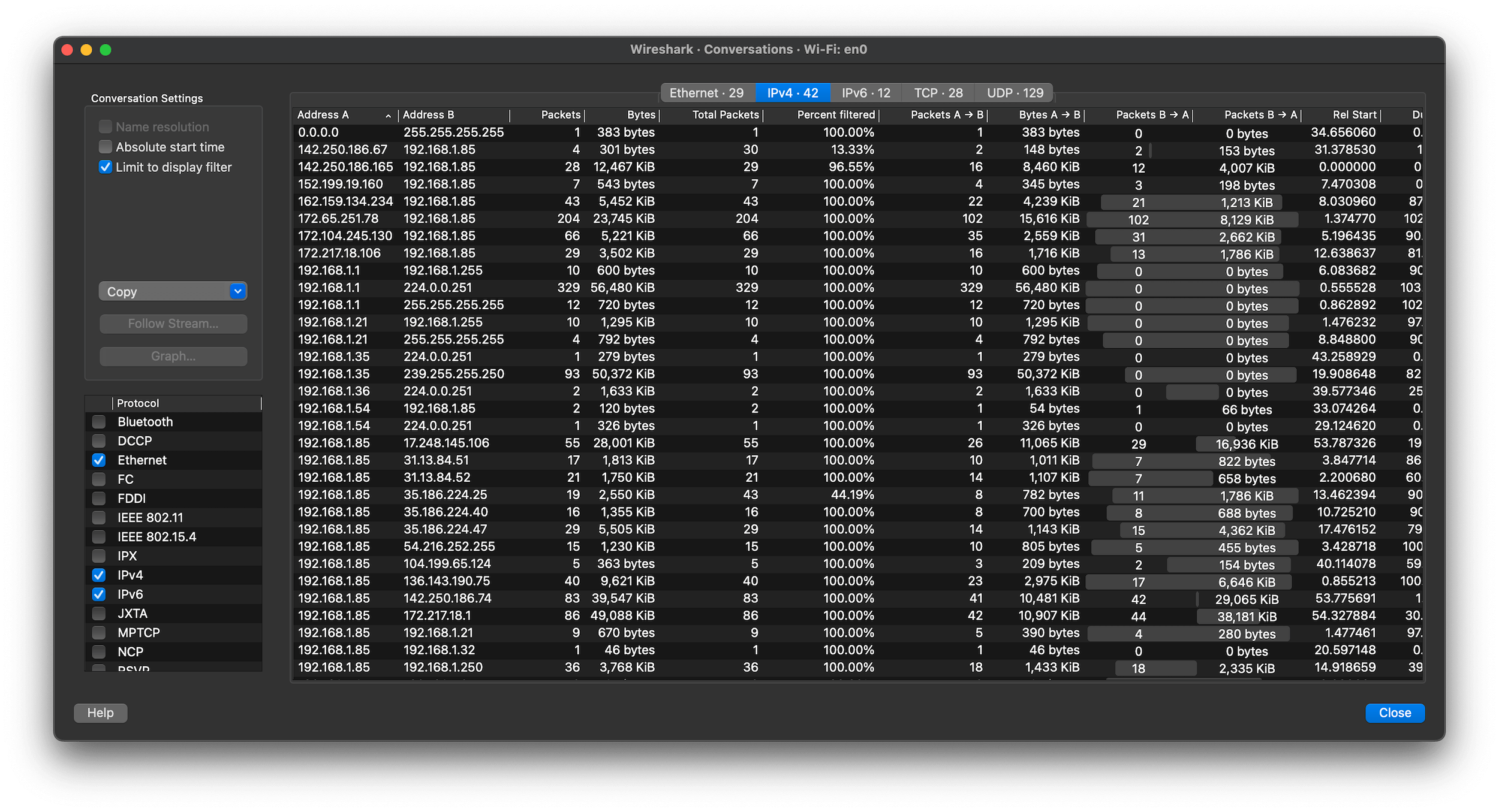
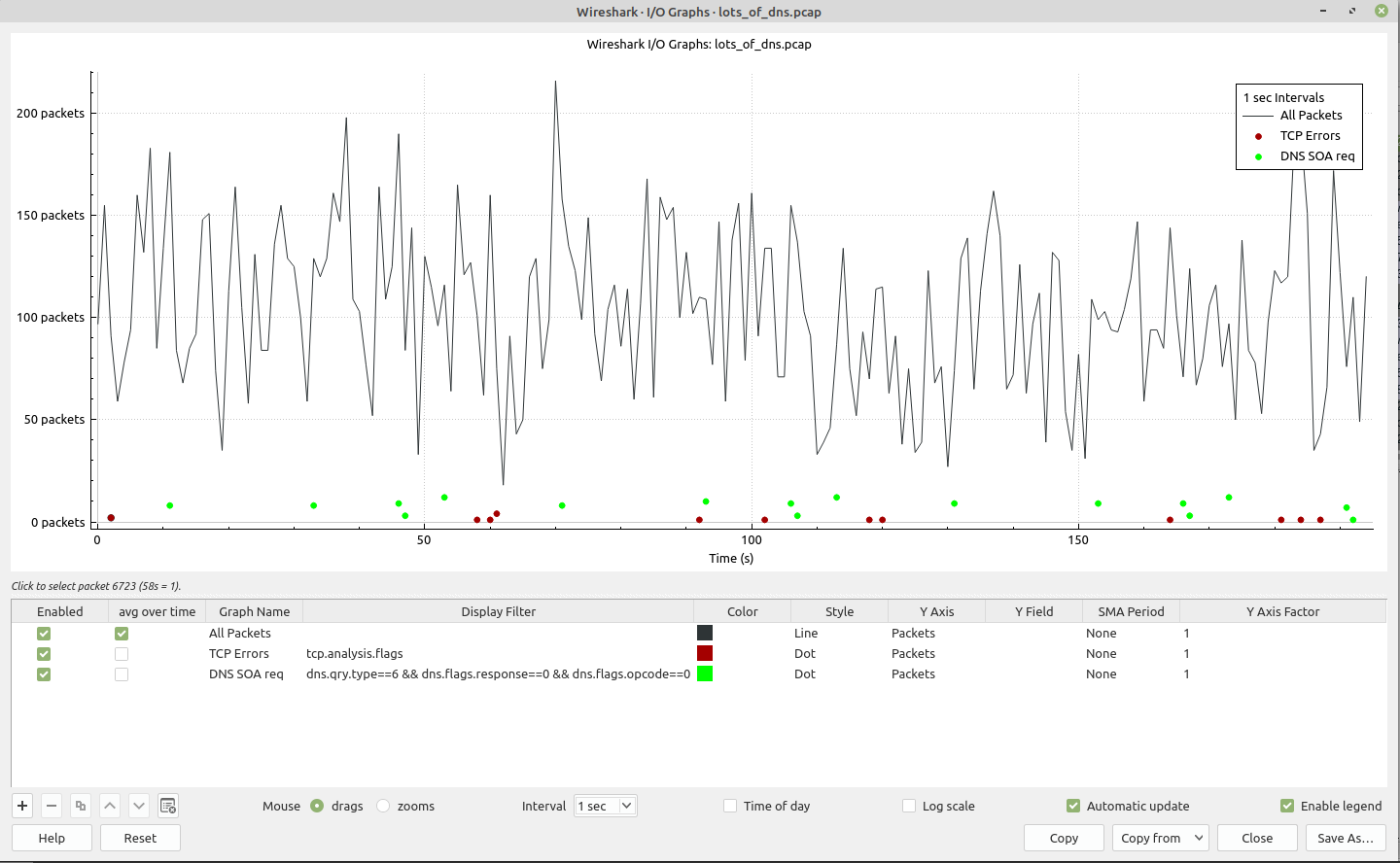
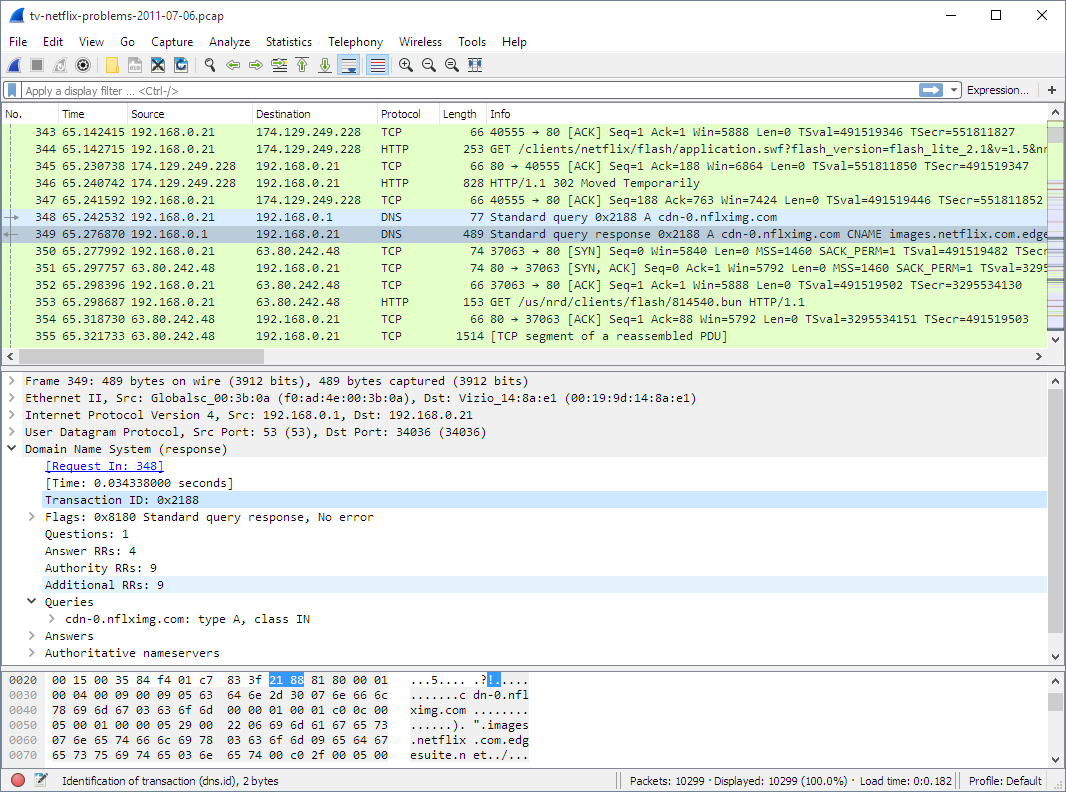
Read our comprehensive review of Wireshark for Linux, the premier network protocol analyzer designed for deep packet inspection and offline file analysis.
The Challenge of Complex Network Diagnostics
When network anomalies occur, diagnosing the root cause can feel like searching for a needle in a digital haystack. System administrators and security professionals frequently need to dissect complex packet streams to understand exactly what is happening under the hood. The Wireshark network protocol analyzer solves this precise issue by providing unparalleled visibility into saved network files, translating raw binary data into a highly structured, readable format.
Please note that this specific Linux package is designed exclusively for offline inspection and does not support live data capturing. Instead, it serves as a highly specialized, secure environment for analyzing pre-recorded traffic files.
Deep Packet Inspection and Analysis Features
The strength of this utility lies in its sophisticated parsing engine. Even without live capture capabilities, the Wireshark network protocol analyzer offers a robust suite of diagnostic tools:
- Extensive Protocol Support: It decodes and interprets thousands of distinct network protocols, making it indispensable for multi-layered system audits.
- Diverse Format Compatibility: You can import packet data from dozens of different capture file formats generated by various operating systems and monitoring tools.
- Advanced Display Filters: A rich, proprietary filter language allows you to pinpoint specific packets, saving hours of manual searching.
- Stream Reassembly: Easily reconstruct complete TCP streams to view entire conversations, extract HTTP or CIFS payloads, or analyze RTP audio streams.
Who Benefits Most From This Tool?
This localized version of the Wireshark network protocol analyzer is ideal for Linux-based security analysts, forensic investigators, and network engineers who work in segmented or high-security environments. By separating the capture phase from the analysis phase, professionals can safely inspect traffic logs on isolated workstations without exposing production interfaces to risk.
Explore the Official Release
If you are ready to elevate your network diagnostics and dive deep into packet structures, you can learn more about this utility and access the installation package directly on its official store page via Flathub.