
Flowblade
Discover Flowblade, the fast and precise multi-track video editor for Linux. Read our review to see how this open-source tool elevates your post-production.
The Ultimate Solution for Ultra-Precise Linux Video Editing
For video editors working on the Linux platform, finding a tool that balances raw speed with frame-accurate precision can be a challenge. The Flowblade video editor addresses this need directly, offering a non-linear, multi-track editing experience designed to keep your creative workflow moving without lag. Released under the GPL3 license, this open-source software provides filmmaker-grade control over both image and sound, making it a standout choice for creators who demand stability and speed.
Key Features of the Flowblade Video Editor
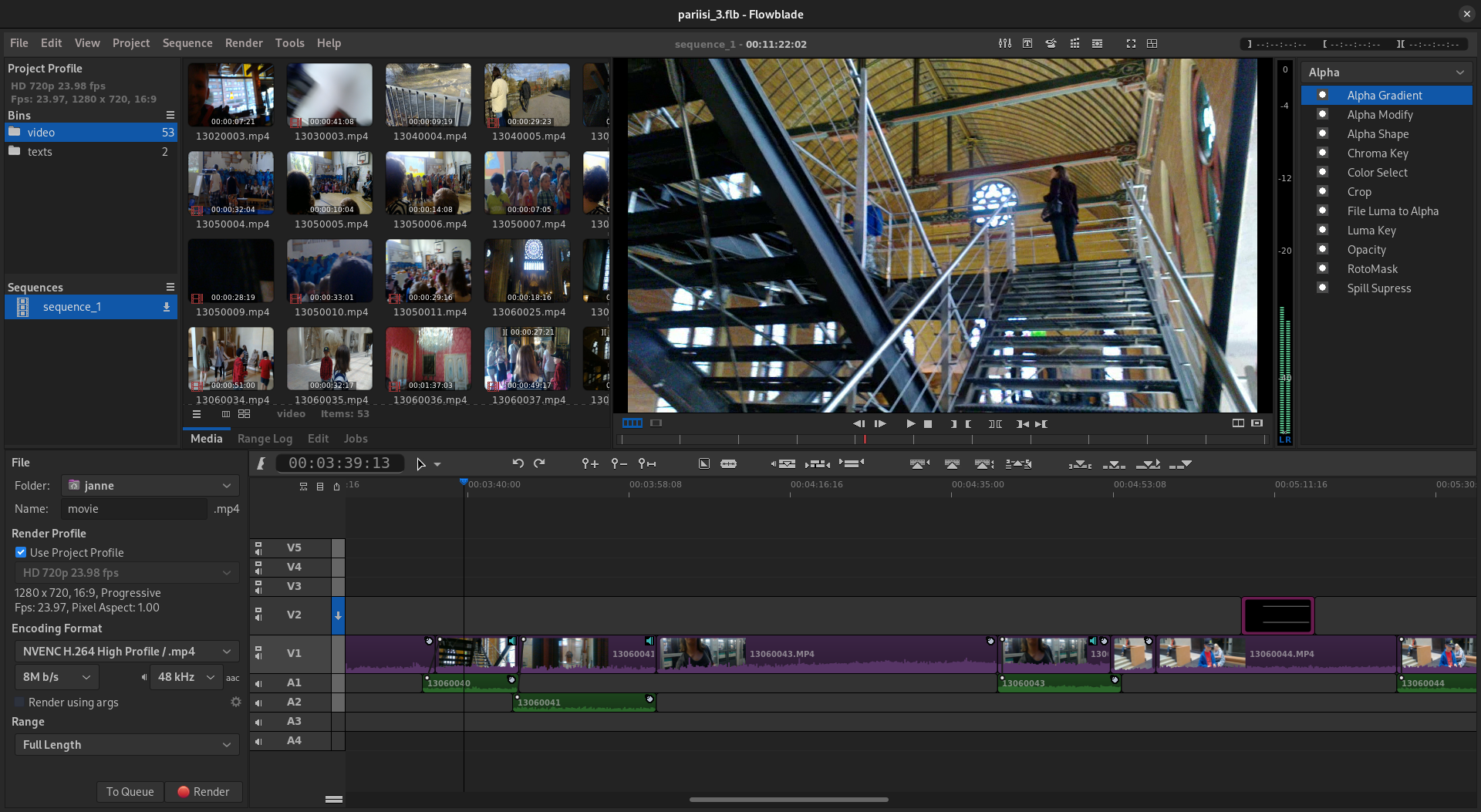
Flowblade is engineered around a timeline-centric workflow that favors fast, precise cutting and mixing. Here is what makes it a compelling choice for media enthusiasts:
- Multi-Track Timeline: Sequence video, audio, and graphical assets across multiple tracks with flexible editing tools.
- Precise Trimming Tools: Achieve frame-accurate cuts and adjustments with dedicated tools built for professional-grade pacing.
- Stable Open-Source Architecture: Developed by Janne Liljeblad, the software is optimized for the Linux ecosystem, ensuring dependable performance during heavy rendering tasks.
- Rich Audio and Visual Integration: Seamlessly blend soundscapes with high-definition video files to realize your exact creative vision.
Who Is This Editing Software For?
Whether you are a beginner assembling your first short film or a master editor looking for a lightweight, dependable tool on Linux, this application scales to your expertise. Its interface avoids unnecessary clutter, allowing you to focus entirely on the rhythm of your cuts and the balance of your audio tracks.
Why Flowblade Stands Out in the Media Category
Unlike resource-heavy suites that struggle on mid-range hardware, the Flowblade video editor is celebrated for its efficiency. By utilizing a modular pipeline, it ensures that scrubbing through high-resolution footage remains responsive. If you are looking for an independent, community-driven tool that respects your system resources while delivering professional-grade output, this software is highly recommended.
Experience Professional Editing on Linux
Flowblade proves that you do not need expensive proprietary software to achieve high-end video production. To explore its capabilities firsthand and add this powerful tool to your creative toolkit, head over to the official Flathub store page to get started.